Auth - Upgrading Google, Facebook, and Apple for Expo Go
This page shows the extra pieces you need to add so an Expo Go mobile app can reuse your existing Supabase auth providers and sign users in successfully.
Joes Notes:
Apple
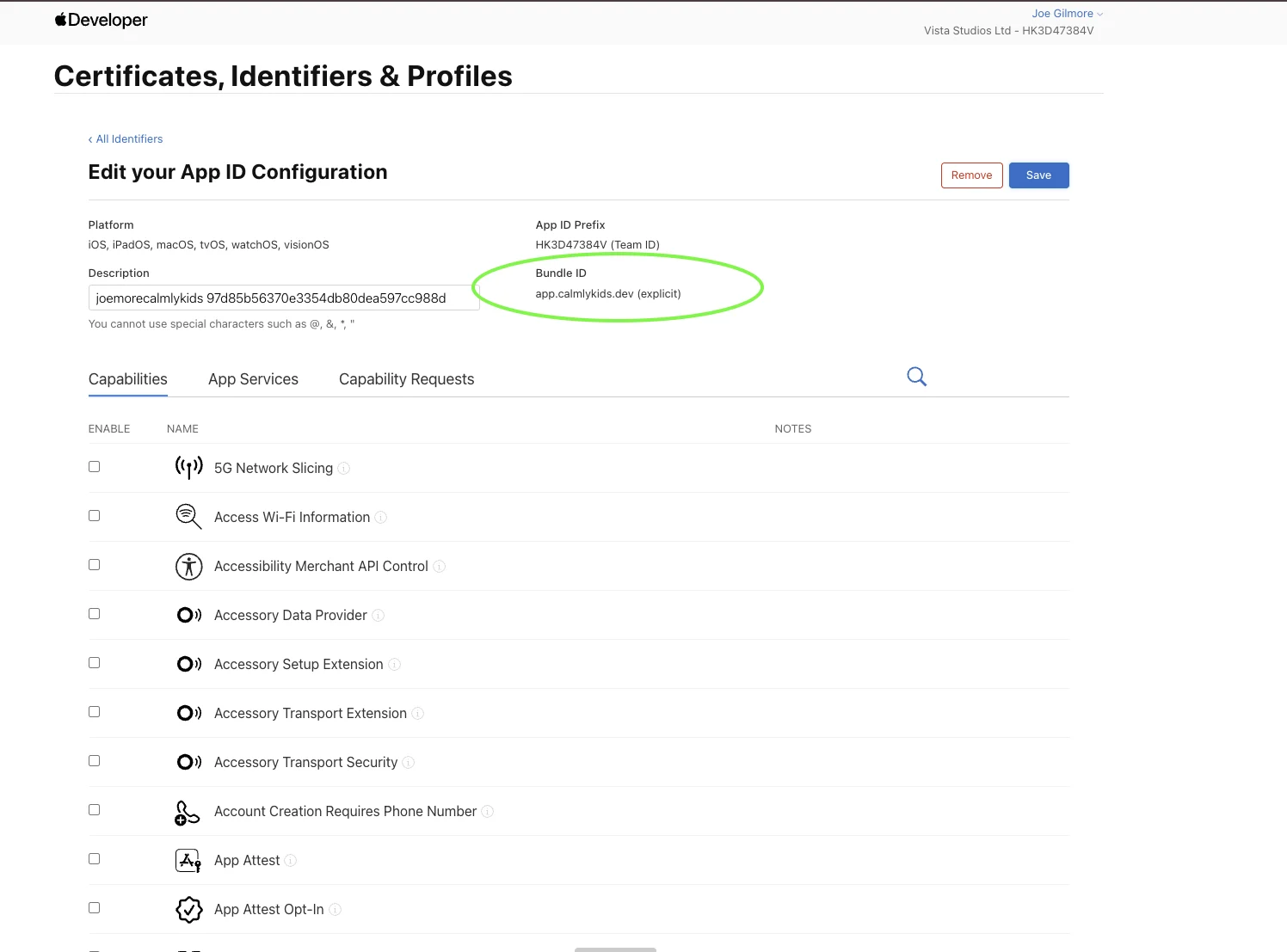
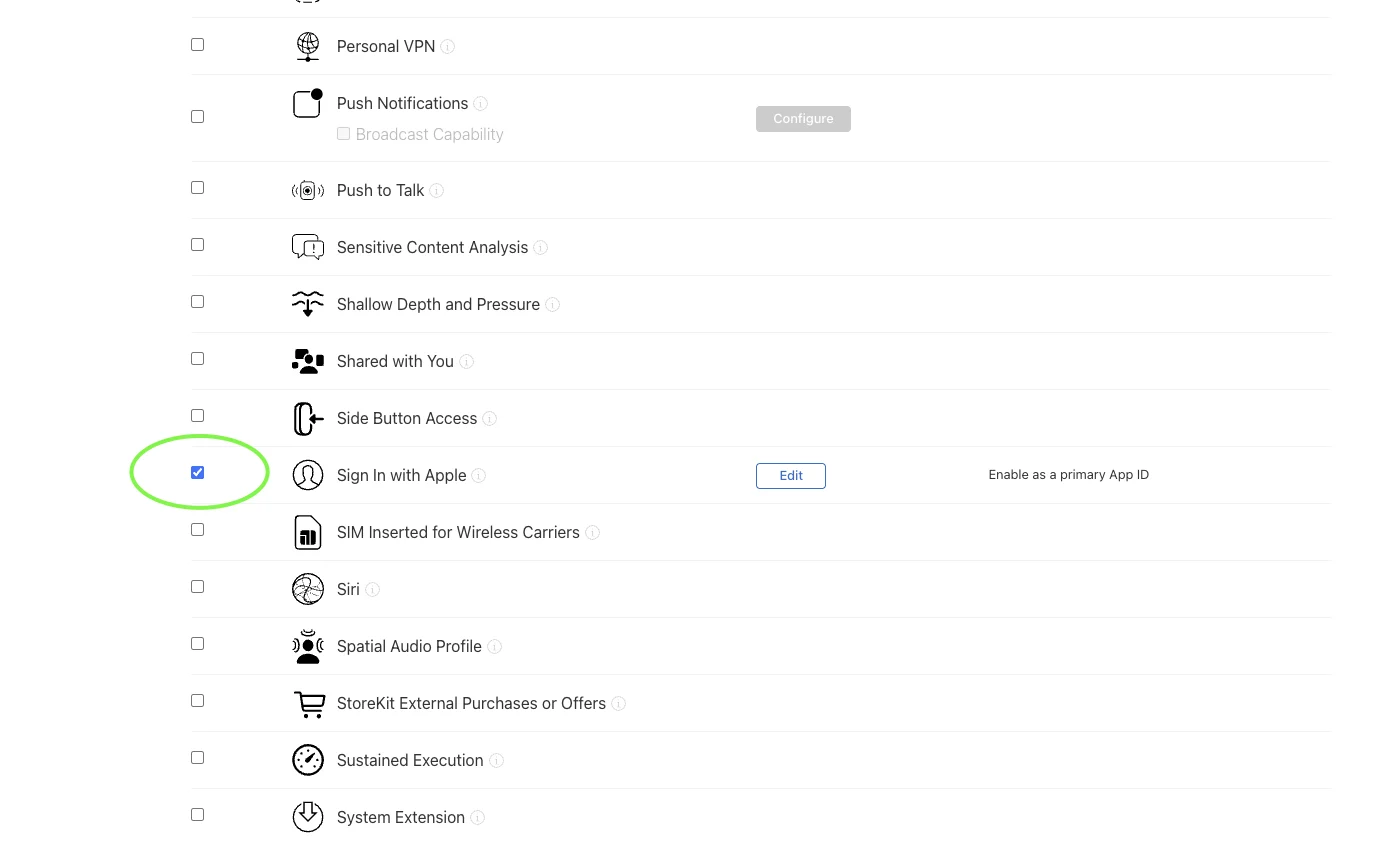
To get Apple working, I needed to first login into Apple Developer, and go to Certificates, Identifiers & Profiles -> Identifiers and make sure that the Sign In with Apple is enabled on my Production App ID app.calmlykids as well as the Sign In with Apple is enabled on my Development App ID app.calmlykids.dev as well.
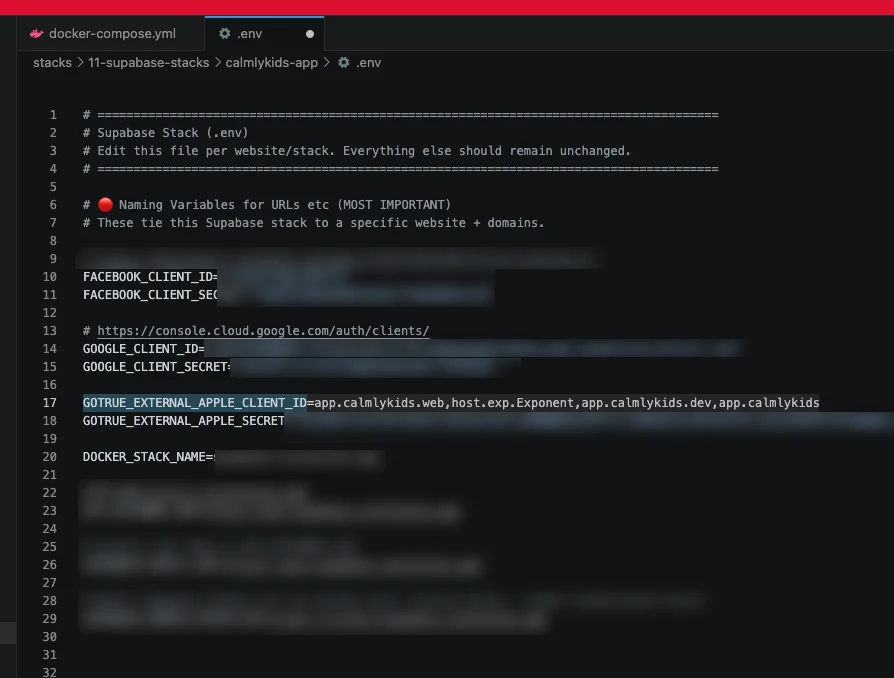
In my Supabase Stacks stacks/11-supabase-stacks/calmlykids-app/.env file I also needed to make sure it had these entries:
GOTRUE_EXTERNAL_APPLE_CLIENT_ID=app.calmlykids.web,host.exp.Exponent,app.calmlykids.dev,app.calmlykids - this only had app.calmlykids.web in it before meaning our website login was working, but to get it working with our Prod App app.calmlykids and our Development App app.calmlykids.dev we needed to add them to the list. We also added the host.exp.Exponent entry to the list as well so it technically should work with Expo Go as well.
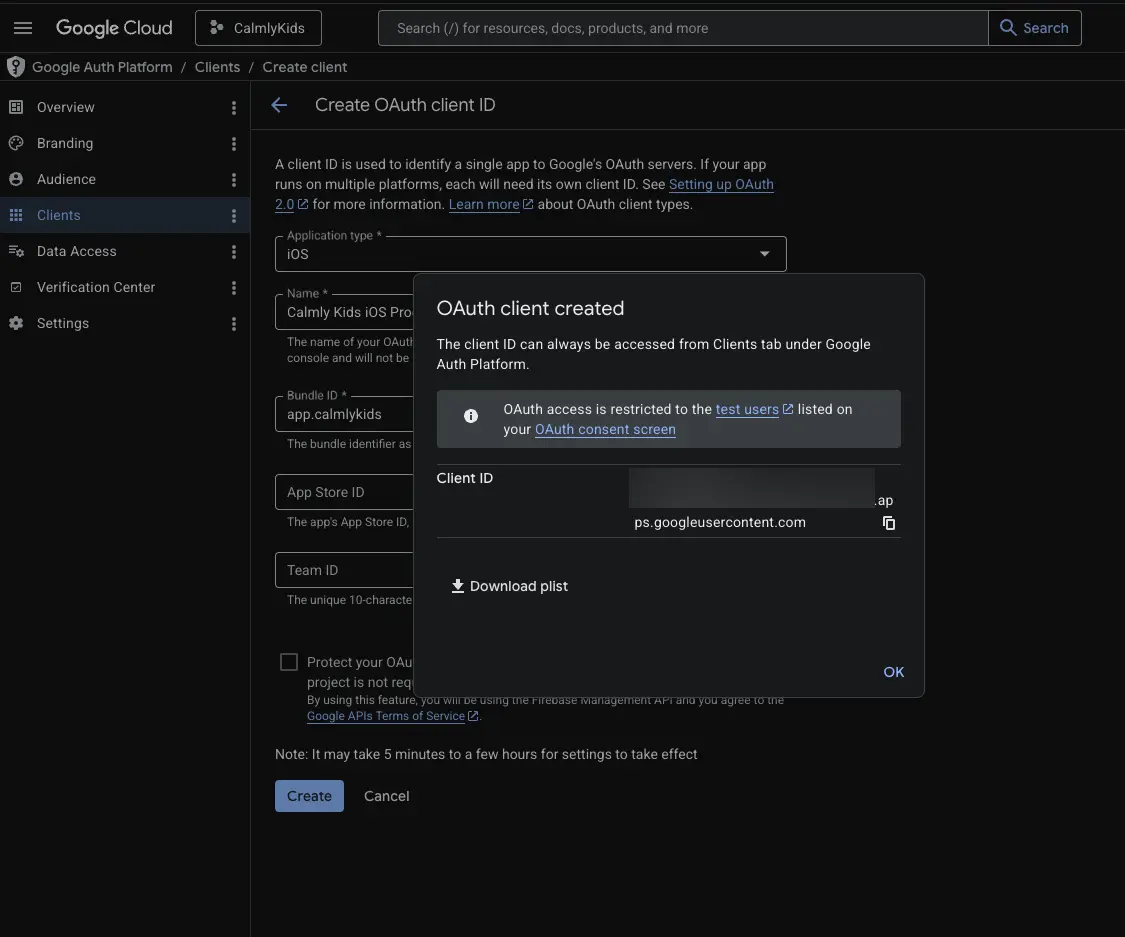
Add a new Google OAuth client ID:
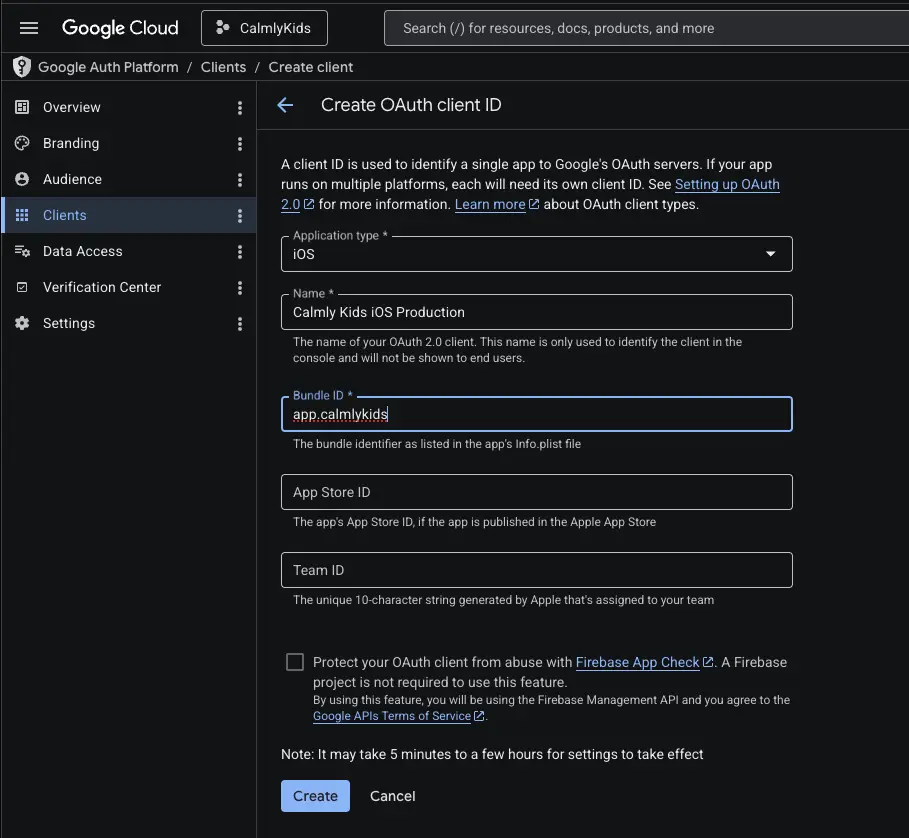
Save the client ID
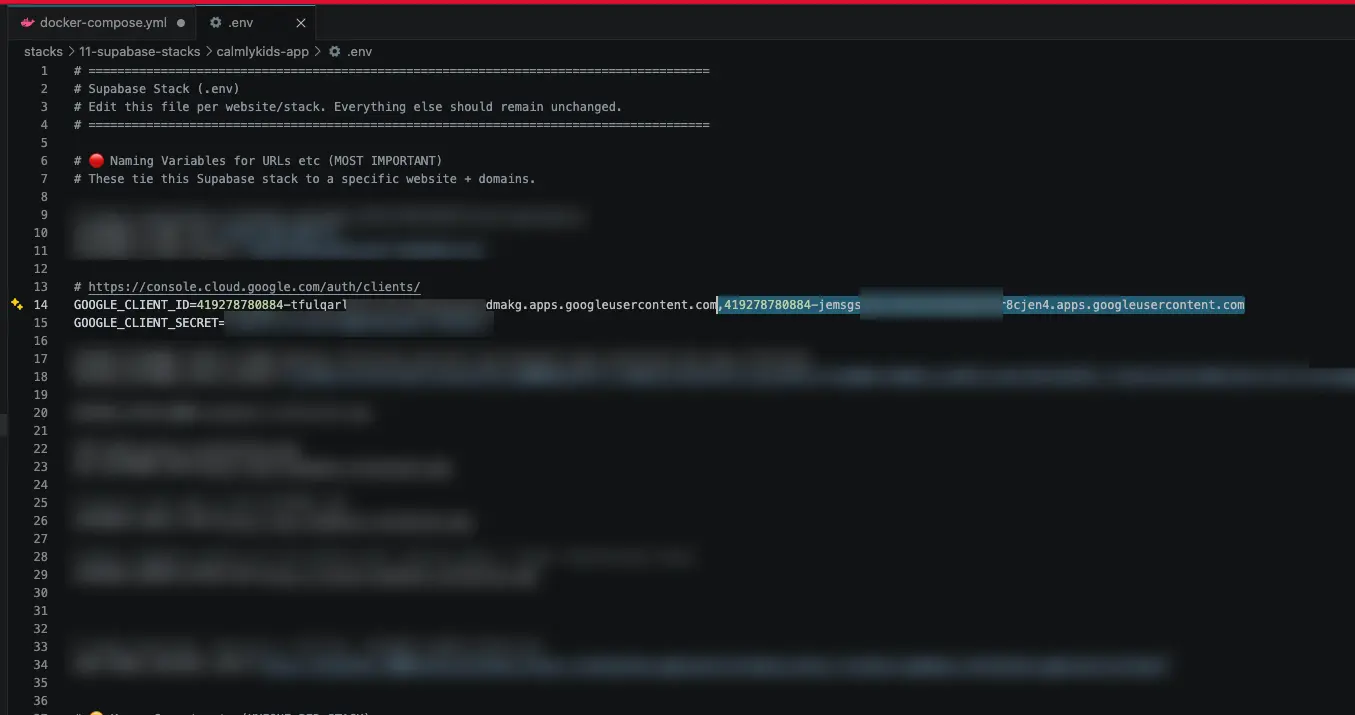
Update your Supabase stack docker-compose.yml and GOTRUE_EXTERNAL_GOOGLE_CLIENT_ID or your .env file and append your new client ID string to the existing web one ( comma separated list)
Restart your Supabase stack:
cd ~/Develop/ubuntu-home-server/stacks/11-supabase-stacks/calmlykids-stack
docker compose restart auth
Update your Expo Go's ENV variables:
EXPO_PUBLIC_GOOGLE_IOS_CLIENT_ID=11111-xxxxx.apps.googleusercontent.com
EXPO_PUBLIC_GOOGLE_WEB_CLIENT_ID=22222-yyyyy.apps.googleusercontent.com