Website Caching
Now you have added your website, this is how we cache it to ensure it still works even if Joes Home Server is off for 24 hours
Please note only pages viewed while Joes Home Server is online will be cached. So if you add a new page to your website, you will need to visit it once while Joes Home Server is online to have it cached for offline viewing.
Create an "IsAlivePinger" global component
We are going to create a global component that we can use on every page, its job is to simply poll our /api/is-alive/ endpoint and as long as it exists we do nothing. If it fails to respond we will show a banner to the user letting them know the site is in maintenance mode.
src/components/IsAlivePinger.tsx
// Full code available at:
// src/components/IsAlivePinger.tsx
Create the API endpoint
src/app/api/is-alive/route.ts
import { NextResponse } from "next/server";
export const dynamic = "force-dynamic"
export async function GET() {
  const payload = {
    ok: true,
    ts: Date.now(),
  };
  const res = NextResponse.json(payload, { status: 200 });
  res.headers.set(
    "Cache-Control",
    "no-store, no-cache, must-revalidate, proxy-revalidate, max-age=0, s-maxage=0"
  );
  res.headers.set("Pragma", "no-cache");
  res.headers.set("Expires", "0");
  res.headers.set("CDN-Cache-Control", "no-store");
  return res;
}
Now as long as the /api/is-alive/ endpoint is reachable the site will work as normal.
If it's unavailable a banner will be shown to the user letting them know the site is in maintenance mode.
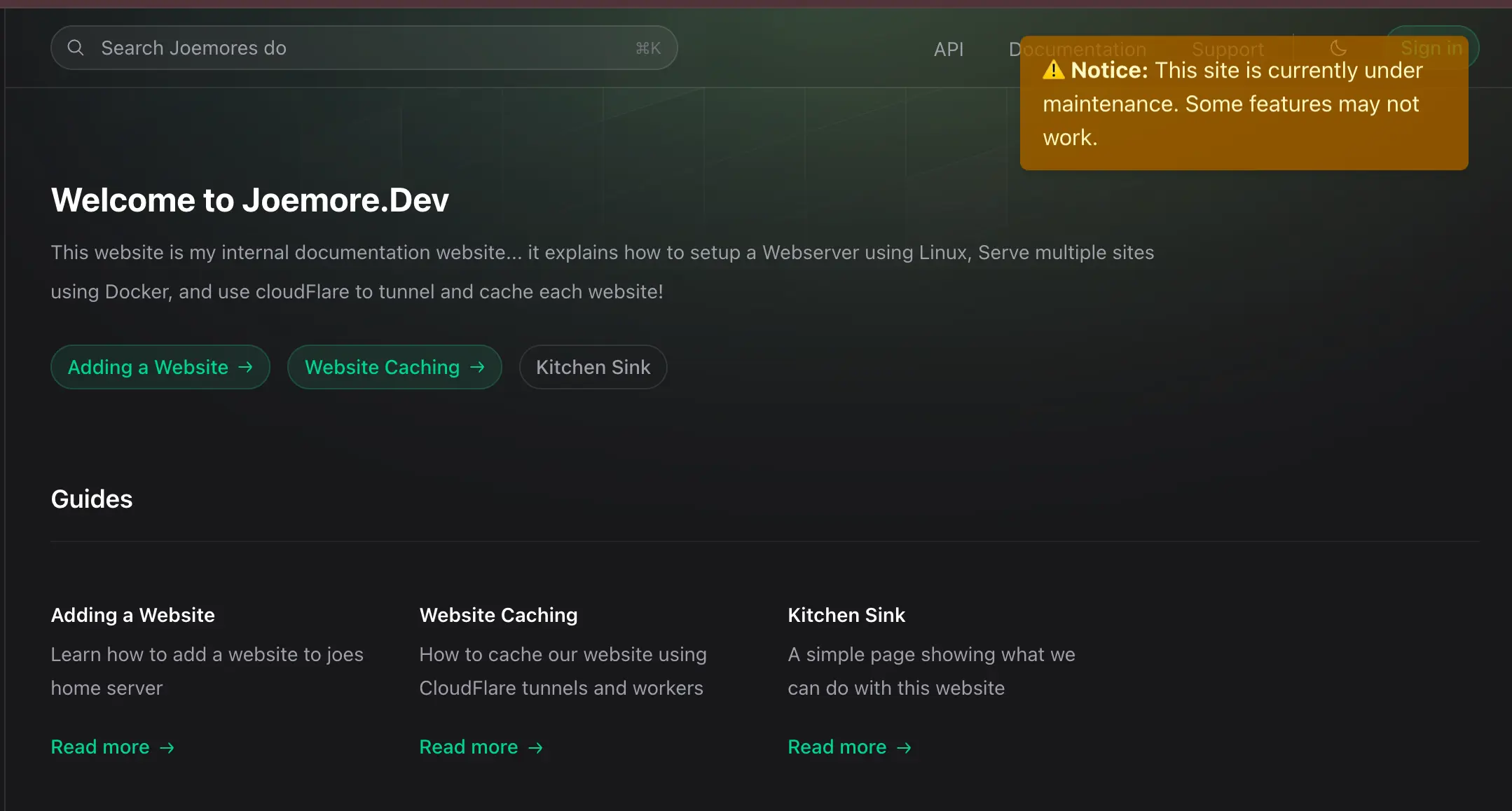
How does this work in reality?
If CloudFlare is caching our pages, but not the API endpoint, when Joes Home Server is offline CloudFlare will still serve the cached pages to the user, so the site works as normal, and will still try to ping the API endpoint in the background. If it fails to reach it, the banner is shown.